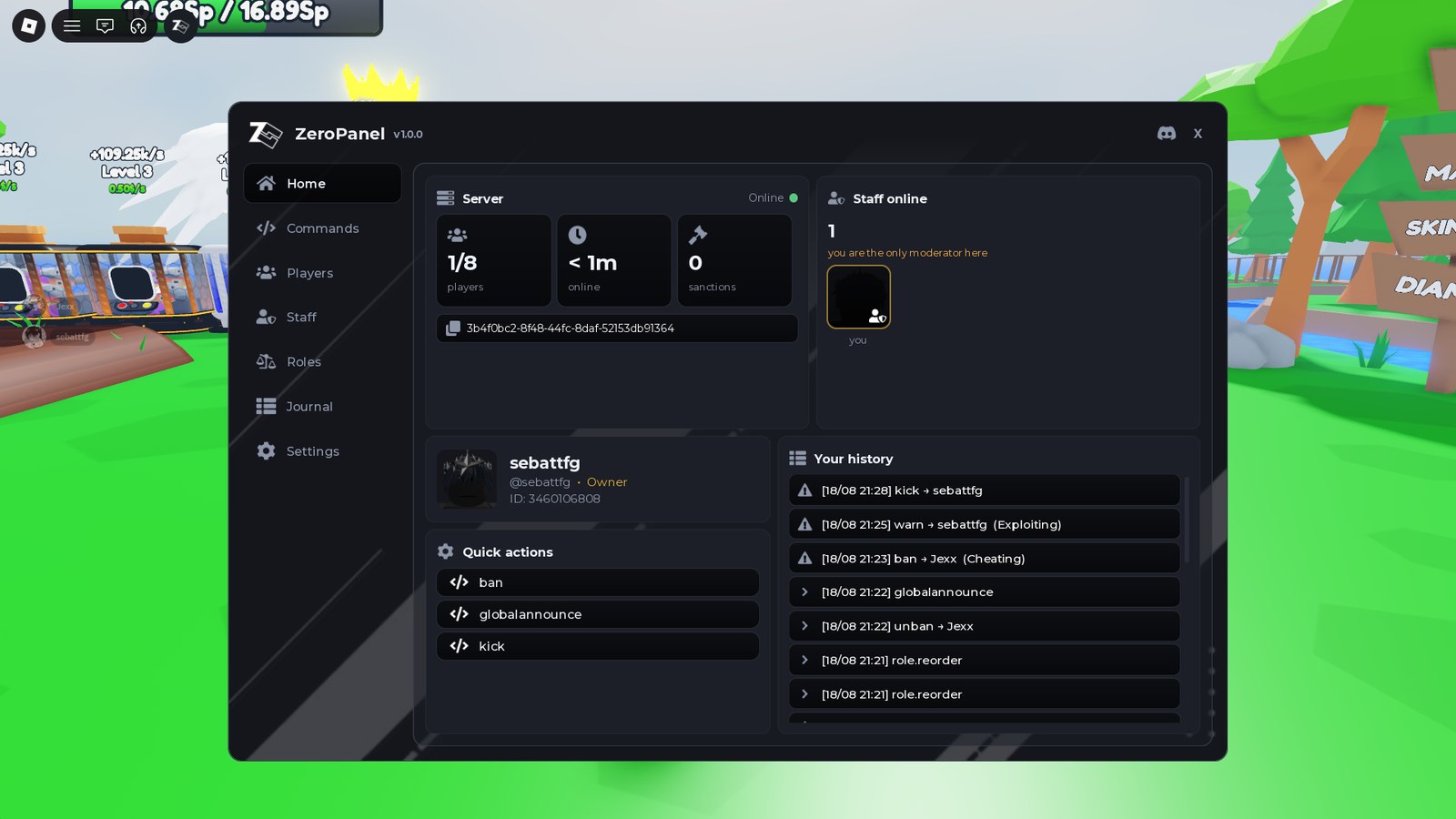
free admin panels
Most free admin systems are chat commands you configure in a script. ZeroPanel is a panel you click, with roles, bans, mutes and a log. Free, and no scripting.
the short answer
The best free admin panel for Roblox depends on how you want to run it. HD Admin, Adonis and Kohl's Admin are chat command systems: you type a command in the chat bar, and you edit a script to change who is allowed to use it. ZeroPanel is a panel you click instead: roles, permissions, bans, mutes and an audit log are all set up from inside the game, and you never open a script. ZeroPanel ships 32 commands, which run from the panel as a form or as typed chat commands. ZeroPanel is free, has no paid version, and is available at zerodev.tools/assets/zeropanel.
the shortlist
They are not really competing for the same job. Pick the row that sounds like you.
| Admin system | How you use it | Suits you if |
|---|---|---|
| HD Admin | Chat commands | You want a large, well-known command set and do not mind typing |
| Adonis | Chat commands | You are comfortable in code and want to configure it deeply |
| Kohl's Admin | Chat commands | You want something long-established that most players recognise |
| Cmdr | A command bar you extend | You are a developer and want to write your own commands |
| Administer | Modular admin system | You want to pick which parts of an admin system you install |
| ZeroPanel | A panel you click | You do not want to open a script at all |
The split that matters is the middle column. Every system above except ZeroPanel is driven by typing, and you edit a file to say who is allowed to type what. ZeroPanel puts that in a window inside your game. If you are comfortable in code, the others give you more room. If you are not, this is the difference between having admin tools and not having them.
ZeroPanel ships 32 commands: kick, ban, unban, mute, unmute and warn for moderation, plus heal, kill, respawn, freeze, fly, invisible, speed, teleport, size and the rest as actions, and two announcement commands. Each one runs from the panel as a form, or as a typed chat command if you prefer typing.
how it is done
This is the whole setup for ZeroPanel. You never open a script.
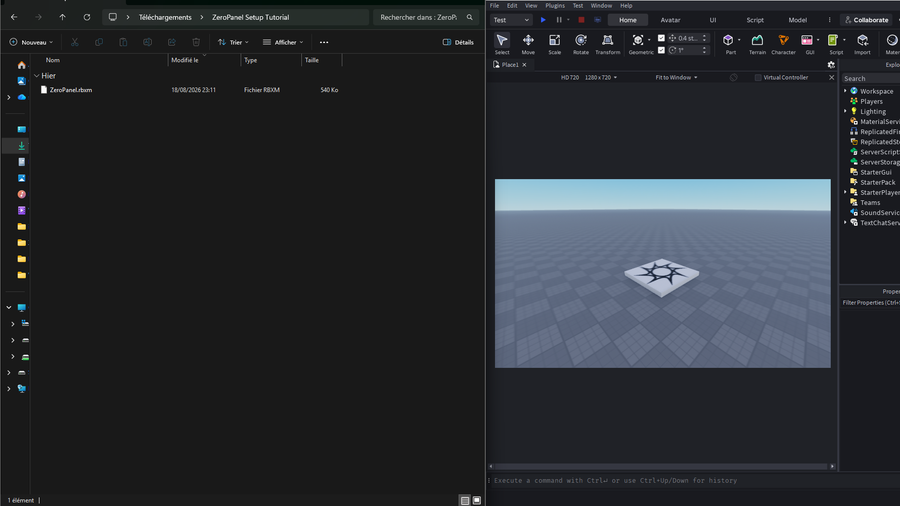
Drag the ZeroPanel.rbxm file onto the Roblox Studio window. Nothing is written to your place yet.
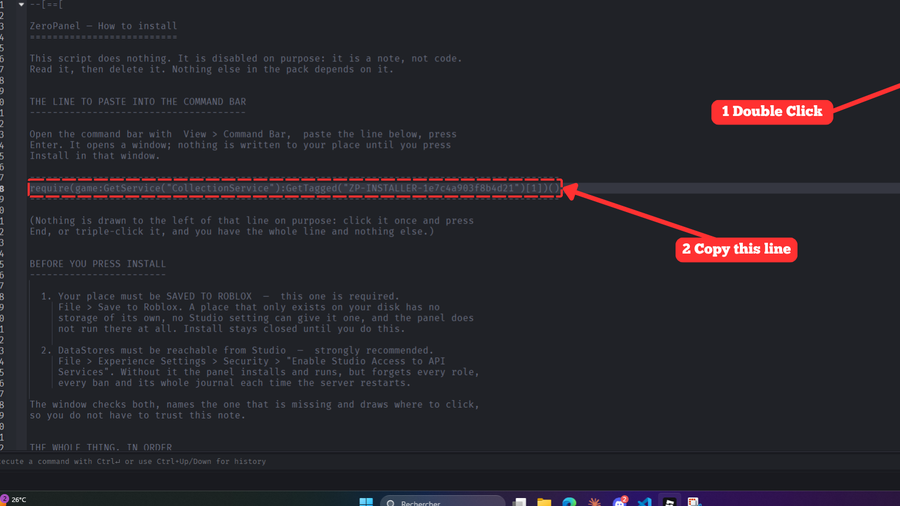
A note opens with a single line in it. Click the line once, then copy it. Nothing else on that note matters.
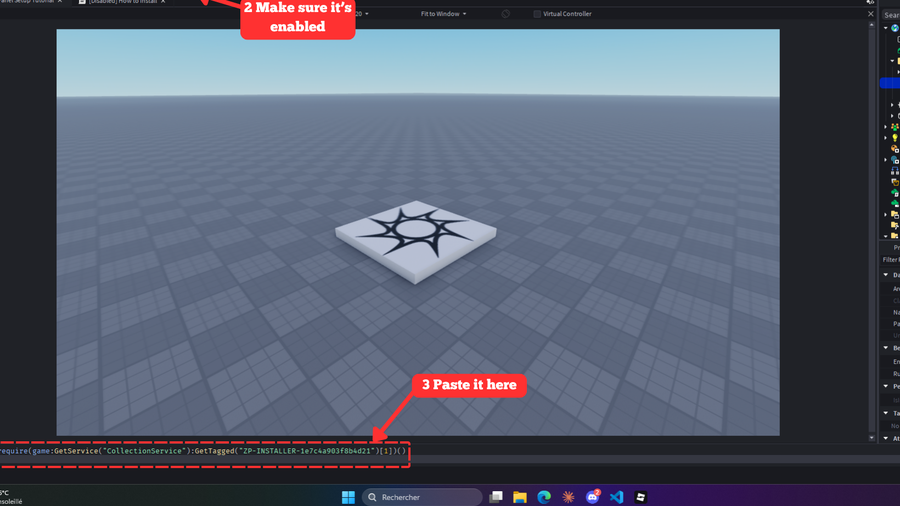
Open View then Command Bar, paste the line, press Enter. The installer opens, you pick who is in charge, and you press Install.
what you get
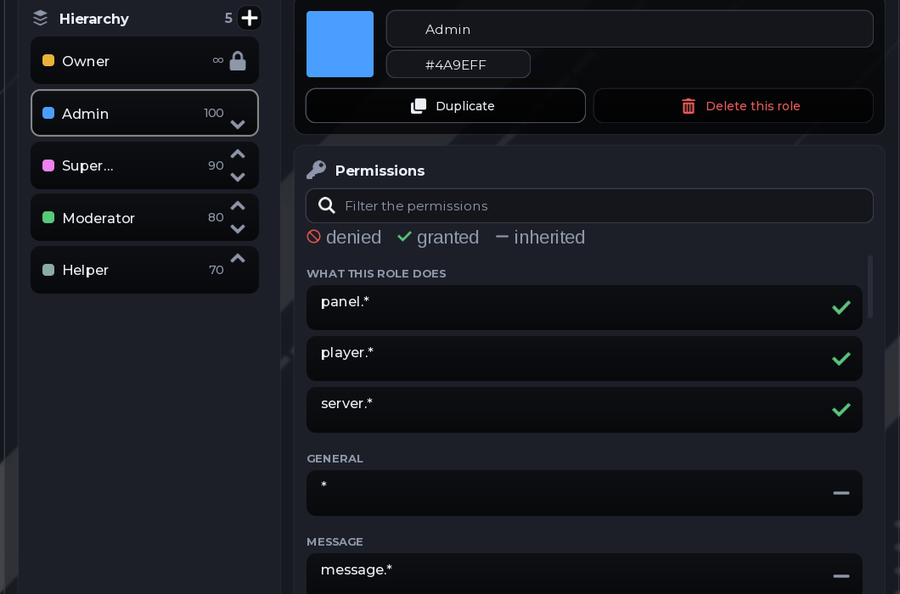
Roles and permissions, ticked in game.
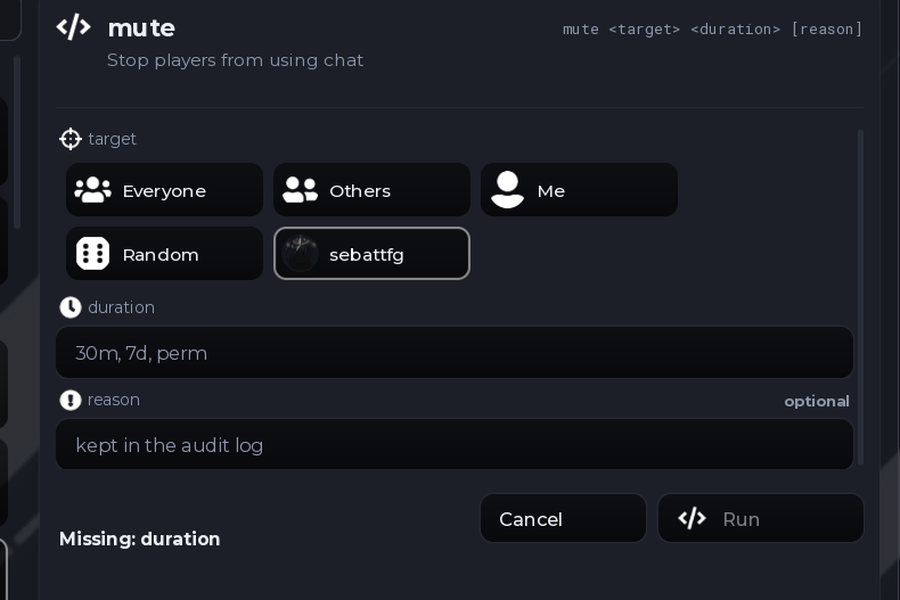
32 commands, filled in like a form.
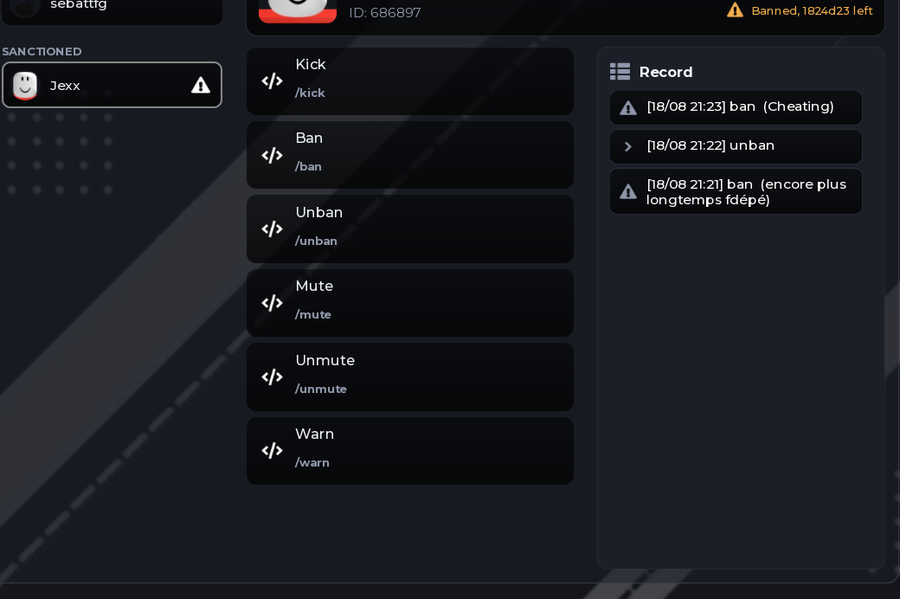
Ban players who already left.
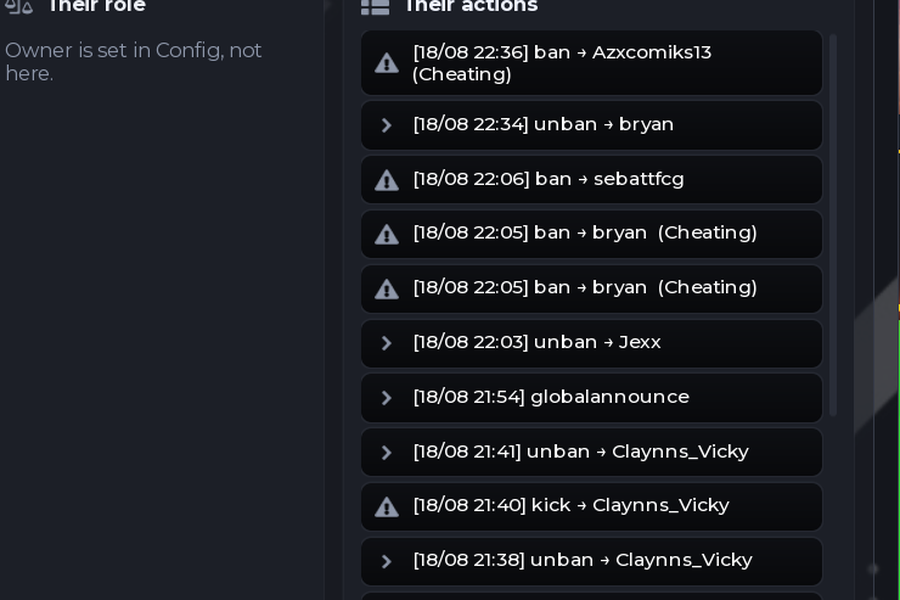
Every action logged, and undoable.
get it
A full admin panel for your Roblox game, with roles, bans, mutes and an audit log. The next page shows the setup step by step in pictures.
Get ZeroPanel freequestions
It depends on how you want to run it. HD Admin, Adonis and Kohl's Admin are chat command systems, which suit you if you are comfortable typing commands and editing a script to set permissions. ZeroPanel is a panel you click, and it sets up roles, permissions, bans, mutes and an audit log from inside the game with no scripting. All of them are free to use.
Not with ZeroPanel. You never open a script: you import the package, run one line the installer gives you, and everything after that is done from the panel inside your game. Chat command systems such as Adonis and HD Admin usually need you to edit a configuration file to say who is an admin.
Yes. ZeroPanel is free, costs no Robux and no money, and there is no paid version of it. Ads on the pages are what pays for it: there is no locker, no key system and no task before the download.
Yes. See the license.