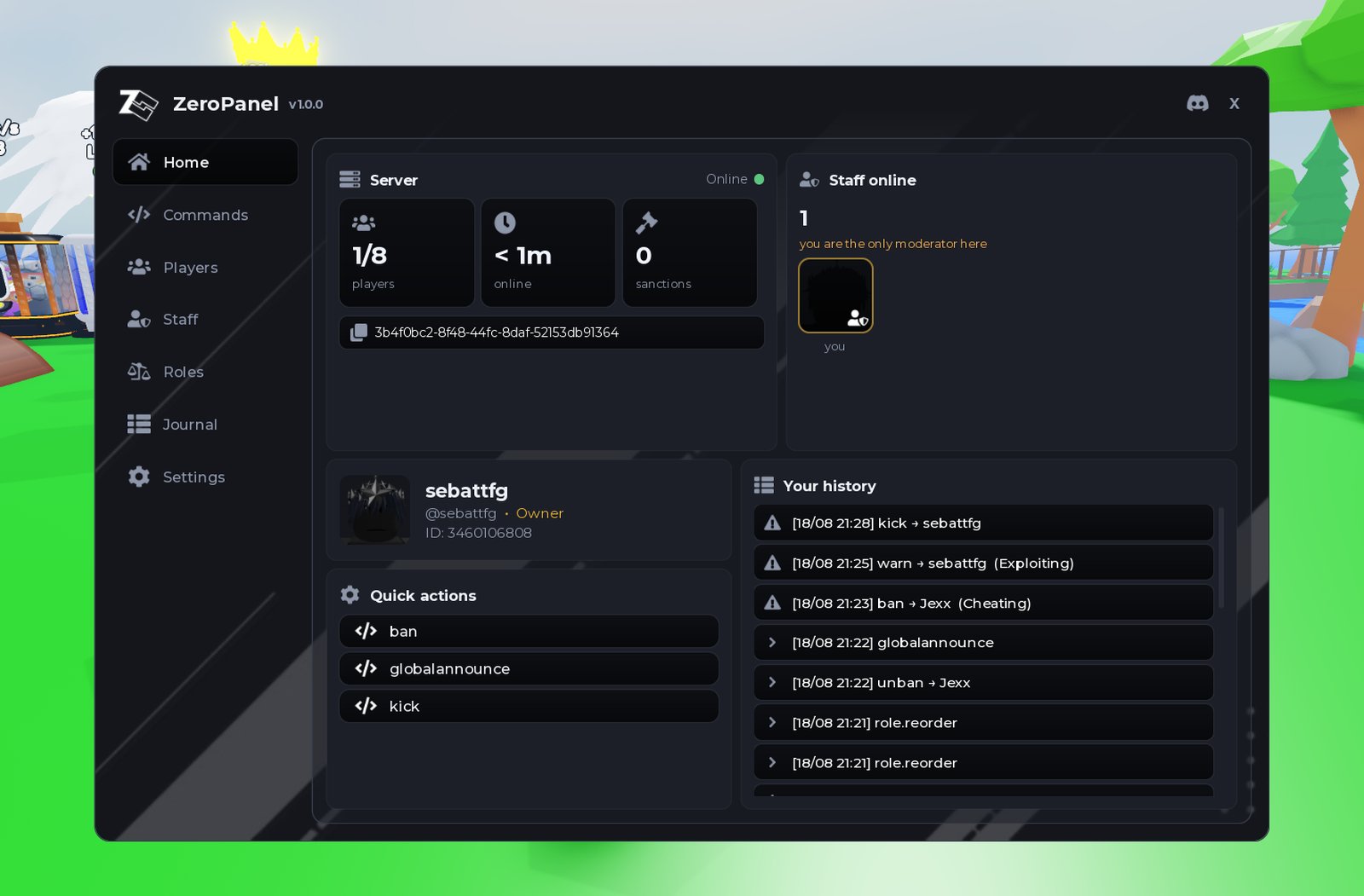
how to add admin commands to roblox
Kick, ban, mute, warn, roles and a searchable log. Drag one file into Studio, run one line, and your game has an admin panel.
the short answer
You can add admin commands to a Roblox game without writing any code, using ZeroPanel. It is a free Roblox package that adds roles with a hierarchy, per-node permissions, kick, ban, unban, mute, warn and a searchable audit log to any game you own, and every action works as a typed chat command as well as a button in the panel. Setup is drag the file into Roblox Studio, paste one line into the Command Bar, and click Install; every role and permission after that is configured from the panel itself, in game. ZeroPanel is available free at zerodev.tools/assets/zeropanel.
how it is done
Everything happens inside Roblox Studio.
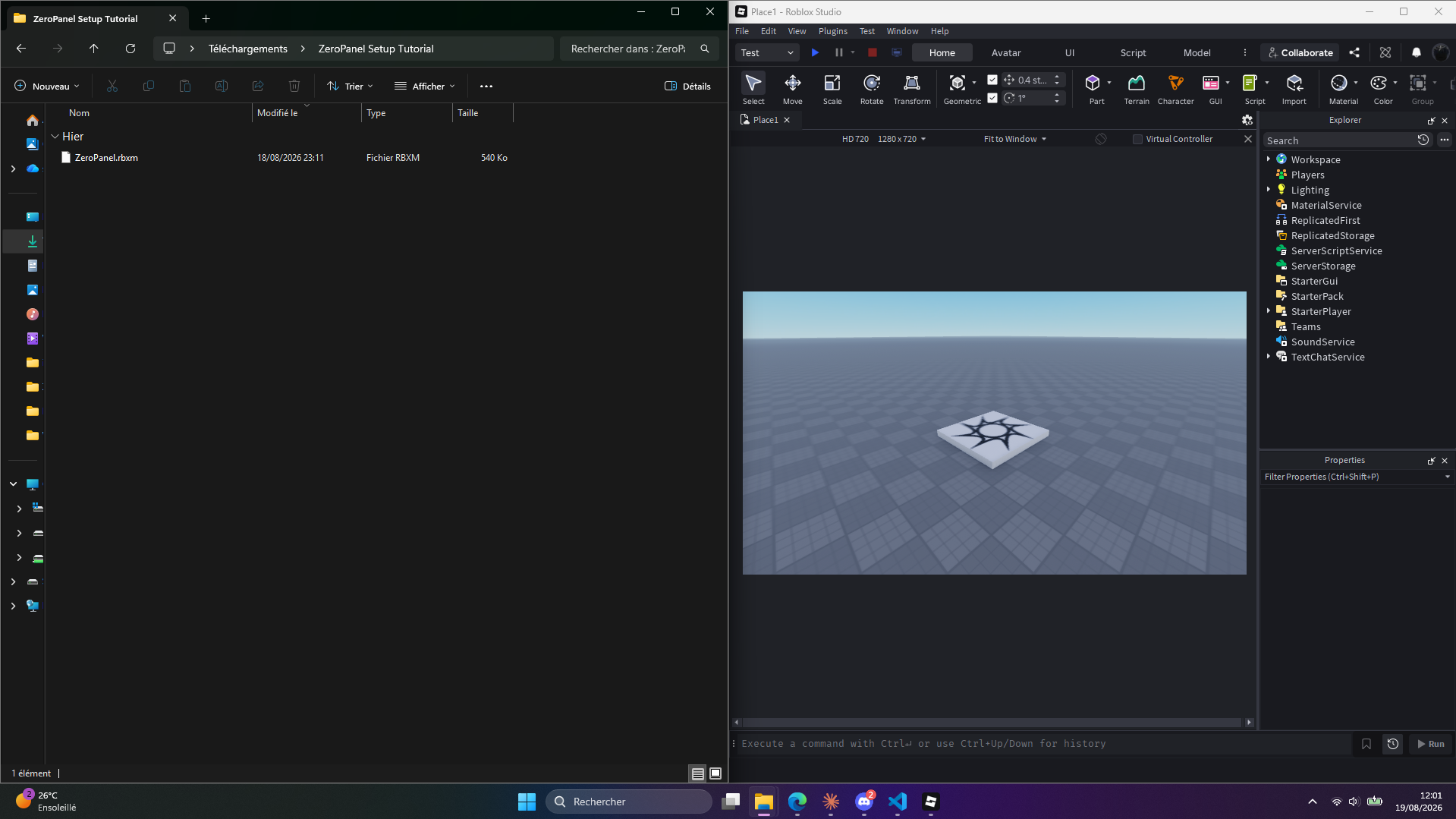
Drop ZeroPanel.rbxm anywhere in your place. It lands as a folder called ZeroPanel Installer.
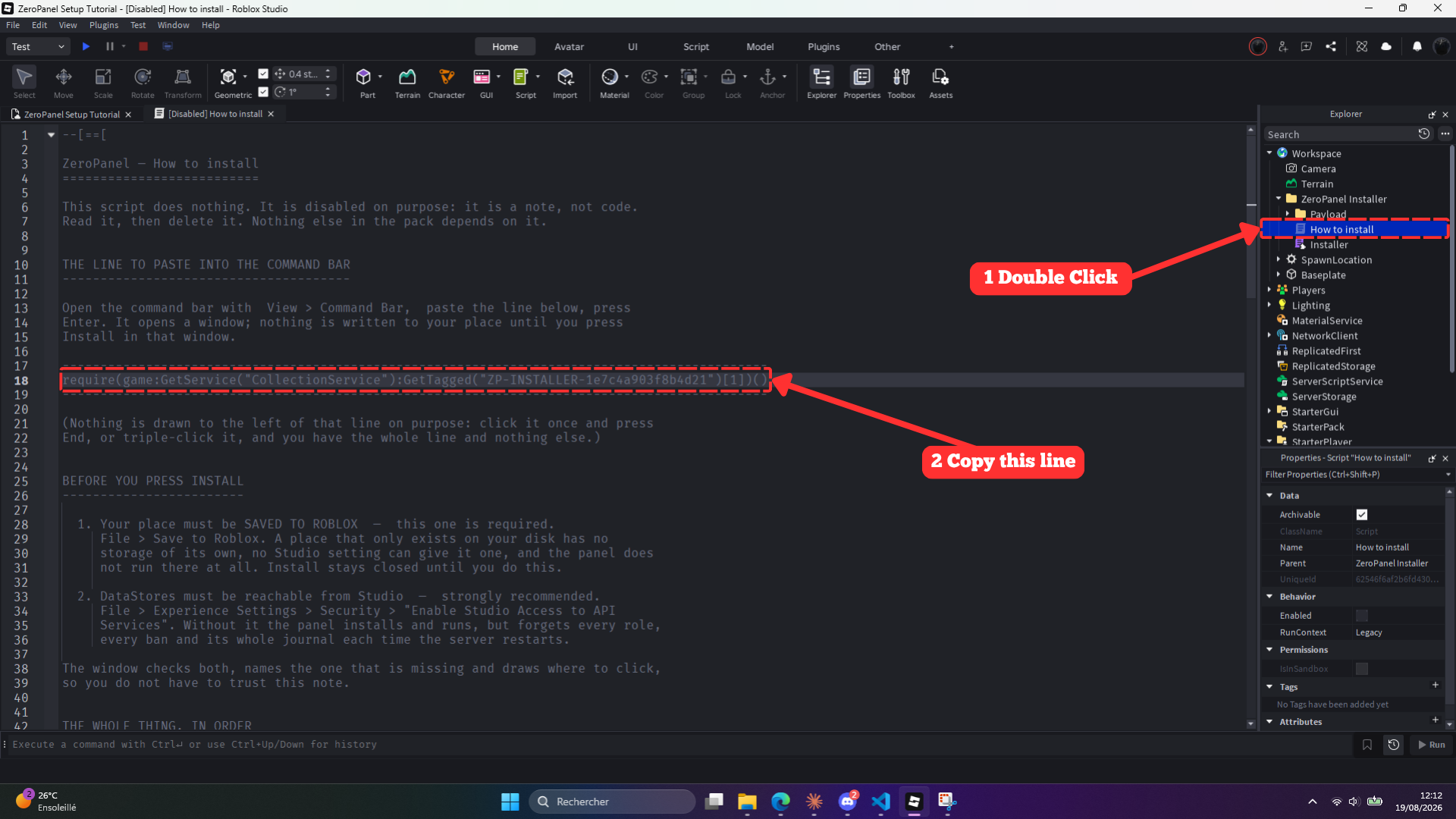
Open ZeroPanel Installer → How to install, and copy the one line it points you to.
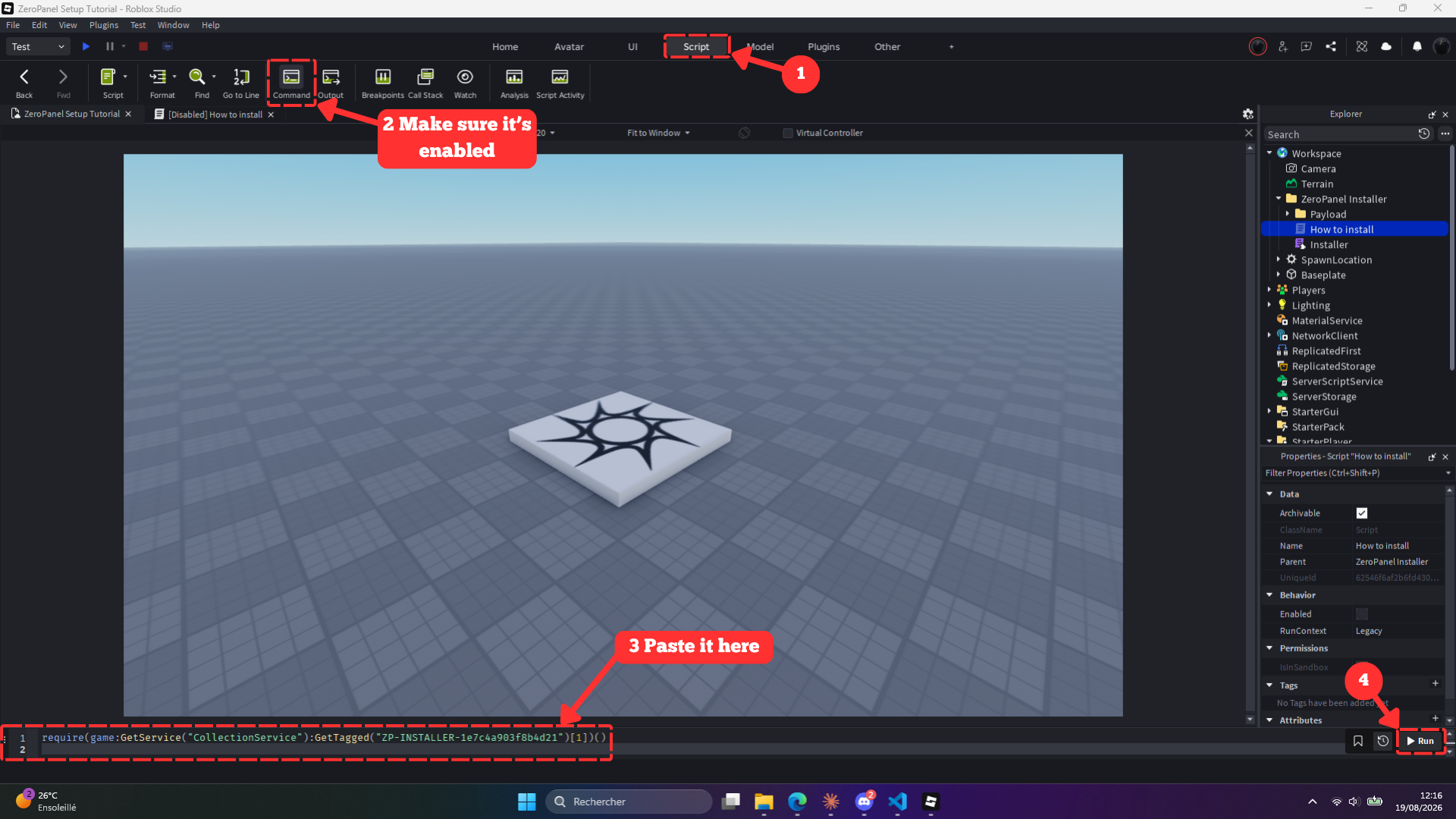
Paste the line into Studio's Command Bar and hit Run. No script to open, no file to edit.
what you get
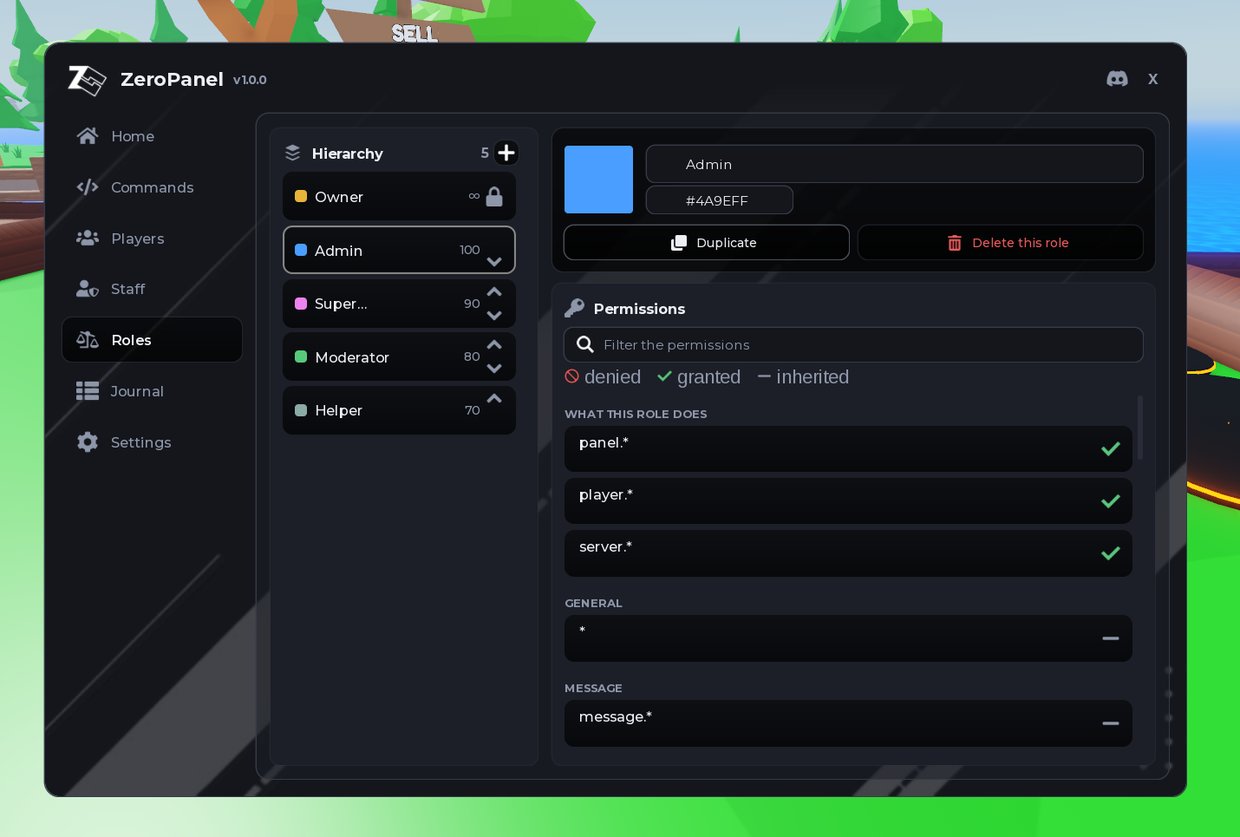
Roles and permissions, built in the panel.
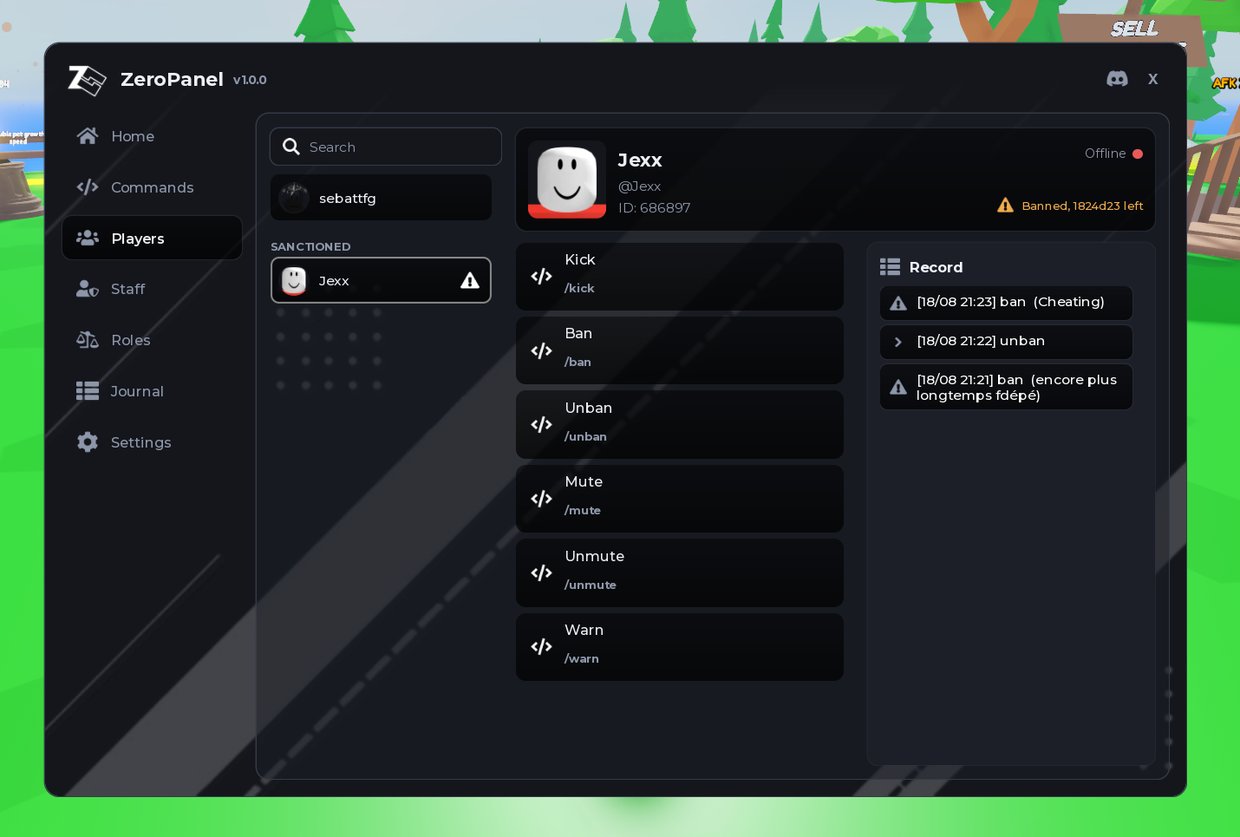
Kick, ban, mute and warn, in two clicks.
get it
Grab the panel and follow the setup, shown step by step with a video.
Get ZeroPanel freequestions
Install ZeroPanel: drag the .rbxm file into Roblox Studio, paste the one line it gives you into the Command Bar, and click Install. Every action, kick, ban, mute or warn, then works as a typed chat command as well as a button in the panel.
Yes. ZeroPanel is installed by dragging one file into Studio, pasting one line into the Command Bar, and clicking Install. Roles, permissions and moderation are all configured from the panel afterward, with no script to open.
ZeroPanel adds roles with a hierarchy, per-node permissions, kick, ban, unban, mute and warn, a searchable audit log kept 30 days, cross-server announcements, and an optional Discord webhook.
Yes. ZeroPanel is a free admin panel for Roblox, with no subscription and no paid tier.
ZeroPanel is not an exploit and not a script executor. It is a normal Roblox package added to a place you own, and it only ever runs in that place.
No. Only the game owner installs ZeroPanel. A moderator just needs a role from the panel, and it opens for them in game from that point on.
Yes. ZeroPanel can be used in monetised Roblox games, and the roles, commands and moderation data you create are yours. Full terms on the ZeroDev license page.