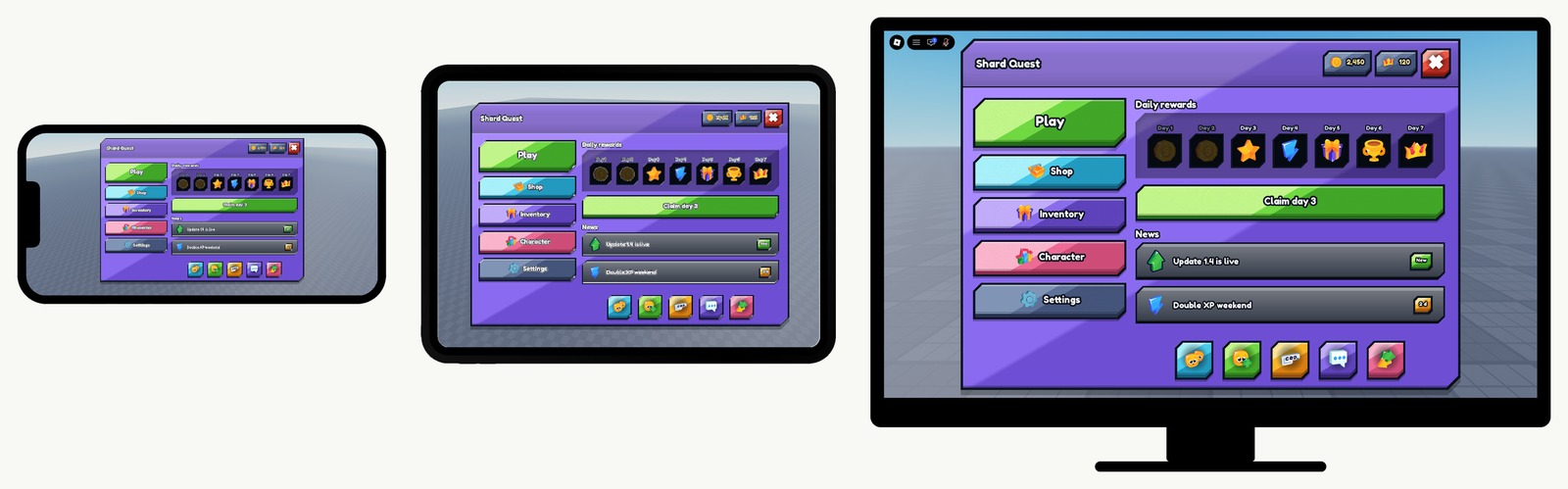
roblox gui for mobile
The screens are already scaled. Import UI Pack Plus, copy one into your game, and the same menu fits a phone, a tablet and a monitor. Free.
the short answer
A Roblox GUI works on mobile when the whole screen is resized with the window, rather than each part being resized on its own. UI Pack Plus is a free Roblox interface pack built that way, and it arrives done. Every part of it is sized in pixels, which is what keeps its carved corners and outlines exact, and a single UIScale sits at the root of each screen. That one scale is recomputed from the window: a screen is laid out at 1280 by 720, and the scale used is whichever of width divided by 1280 and height divided by 720 is smaller, so the interface always shrinks to fit and never spills off an edge. Because it is one scale at the root and not a size change on each part, nothing is stretched: a square button stays square on a phone, and the UIStroke thickness and the 9-slice corners come down with it. It is held by a tag on the screen rather than by a script you have to copy, so a screen dragged into StarterGui keeps it. No plugin, no constraint to add by hand, no second layout to maintain. UI Pack Plus is free at zerodev.tools/assets/ui-pack-plus, with no account, no key system and no paid tier.
how it is done
Nothing here converts a size, adds a constraint or installs a tool.
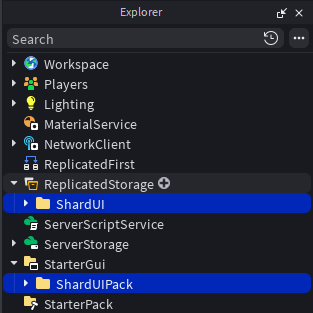
Drag the file into an open place, then put ShardUIPack in StarterGui and ShardUI in ReplicatedStorage. That is the whole install.
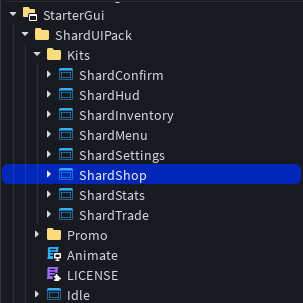
Open ShardUIPack › Kits and paste a screen into StarterGui. The scale is part of the screen, so it travels with it. There is nothing to add.
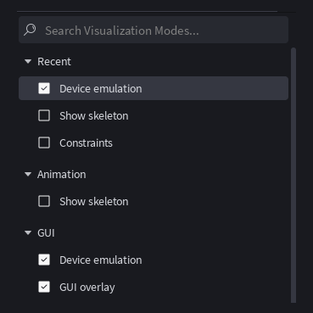
Tick Device emulation in Studio's visualization modes, then pick a phone in the bar it adds and press play. What you see is what that player sees.
get it
Eight finished Roblox screens, every one of them scaled the same way. The next page shows the install step by step.
Get UI Pack Plus freequestions
A Roblox GUI works on mobile when the whole screen is resized with the window instead of each part being resized on its own. UI Pack Plus does that already: its screens are sized in pixels and carry a single UIScale at their root, recomputed from the window, so copying a screen into StarterGui is the whole job.
Not with UI Pack Plus. Plugins like AutoScale Lite convert a UI you built yourself, which is a real job on a real UI. Here the scaling is already inside the screens you copy, so there is nothing to install and nothing to convert.
No, and that is deliberate. The screen is not rearranged for a phone, it is scaled down to fit it. Nothing moves to a different place and nothing is cut off: it is the same menu, smaller.
Yes. The scale takes whichever of the two axes is more constraining, so on a 4:3 tablet the height decides and on a wide phone the width does. Either way the screen shrinks to fit rather than spilling over an edge.
Yes. Because it is one scale at the root rather than a size change on each part, the UIStroke thickness and the 9-slice corners come down with everything else, so a button keeps its shape at any size instead of stretching.
Yes, UI Pack Plus can be used in a Roblox game that earns Robux. See the license.