Your download has started
KeyCapper.rbxmx is downloading now. Three short steps to put it in Studio.
Drop it into Studio
A plugin does not get imported like a model. It lives in a folder on your computer, and Studio reads that folder when it starts. The video shows the whole thing; the three steps below say it in writing.
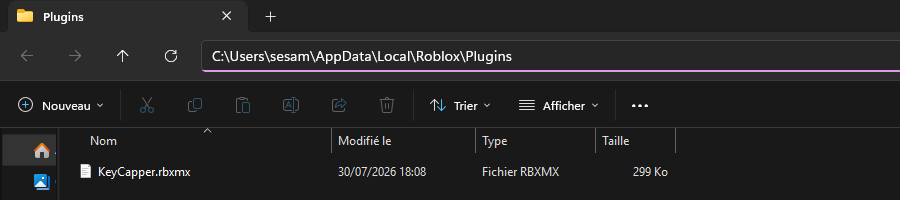
In Roblox Studio, open the Plugins tab and click Plugins Folder. Studio opens the folder where it keeps every plugin you have.
Move KeyCapper.rbxmx out of your downloads and into that folder. Nothing to unzip, nothing to rename, and nothing else has to go in there.
Close Roblox Studio and open it again. Studio only reads that folder on startup, which is why a plugin pasted into a running Studio never shows up. KeyCapper will be waiting in the Plugins tab.
Still nothing in the Plugins tab? Nine times out of ten the file landed next to the folder instead of inside it. Open it again and check KeyCapper.rbxmx is really in there.
Need more help? Join the Discord community.